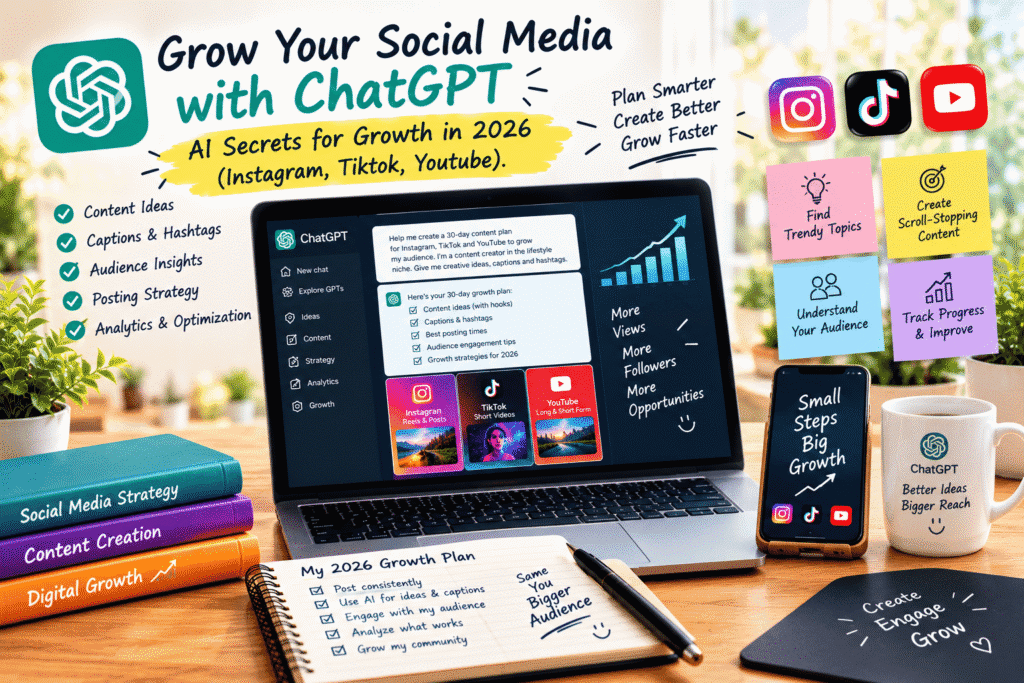
Grow Your Social Media with ChatGPT: AI Secrets for Growth in 2026
Growing on social media sounds simple until you actually try to do it consistently.
You need content ideas. You need captions. You need videos. You need hooks. You need to understand your audience. And somehow, you also need to keep up with Instagram, TikTok, and YouTube without spending your entire day creating content.
That’s where ChatGPT can become a genuinely useful part of your workflow.
It won’t magically give you millions of followers. But when you use it properly, it can help you spend less time staring at a blank screen and more time creating content your audience actually wants to see.
In 2026, the real advantage isn’t simply “using AI.” It’s knowing how to use AI without making your content feel like it was written by a robot.
Why ChatGPT Is Useful for Social Media Growth
The biggest problem for many creators isn’t a lack of creativity.
It’s consistency.
You may have ten great ideas today and absolutely nothing to post next Tuesday.
ChatGPT can help turn your ideas into an organized content system.
You can use it to:
Brainstorm content ideas
Write and improve hooks
Create captions
Develop short-video scripts
Repurpose existing content
Generate content calendars
Brainstorm hashtags and keywords
Analyze audience questions
Develop content series
Improve calls to action
Create different versions of the same idea
Think of ChatGPT as your content brainstorming partner, not your replacement.
1. Stop Asking AI for “Content Ideas”
One of the most common prompts sounds something like:
“Give me 20 Instagram post ideas.”
You’ll probably get a list.
But the list may feel generic.
Instead, give ChatGPT context.
Tell it:
What your niche is
Who your audience is
What you sell
What problems your audience has
Your content style
Your goals
Topics you’ve already covered
Then ask for ideas based on that information.
For example:
“I create content about beginner photography for people using smartphones. My audience wants better photos but doesn’t understand technical camera settings. Give me 20 short-form content ideas that solve specific beginner problems.”
Now the AI has something to work with.
Better context usually leads to better ideas.
2. Create Scroll-Stopping Hooks
People don’t usually decide whether to watch your content after reading the entire post.
They decide very quickly.
That’s why your opening matters.
A weak hook:
“Here are some social media tips.”
A stronger direction might be:
“If your videos are getting views but no followers, you’re probably making this mistake.”
The second one creates curiosity and speaks directly to a problem.
Ask ChatGPT to generate multiple hook styles:
Curiosity hooks
Problem-based hooks
Contrarian hooks
Story hooks
Question hooks
Mistake-based hooks
Tutorial hooks
Don’t automatically choose the most dramatic one.
Choose the hook that accurately represents the content you’re about to deliver.
3. Use ChatGPT to Build a Content Calendar
Consistency becomes much easier when you aren’t deciding what to post five minutes before publishing.
You can ask ChatGPT to help create a 30-day content plan around your goals.
For example:
Monday: Educational post
Tuesday: Short-form video
Wednesday: Personal story
Thursday: Tutorial
Friday: Industry opinion
Saturday: Behind the scenes
Sunday: Community or engagement post
You can then turn each idea into a complete piece of content.
The important thing is not to treat the calendar as a rigid prison.
If something relevant happens in your industry, make room for it.
A good content strategy has structure and flexibility.
4. Create Better Instagram Content
Instagram is more than simply uploading attractive pictures.
Depending on your niche, you might create:
Reels
Carousels
Stories
Educational posts
Personal content
Product demonstrations
Behind-the-scenes content
Community-focused posts
ChatGPT can help you develop each format.
For a carousel, for example, you could ask it to structure:
Slide 1: Strong hook
Slides 2–7: Useful information
Slide 8: Summary
Slide 9: Call to action
Then rewrite the content in your own voice before publishing.
That last step matters.
Your audience follows you, not ChatGPT.
5. Turn One Idea Into Multiple TikToks
One of the smartest ways to save time is content repurposing.
Let’s say you create a video called:
“5 Mistakes Beginners Make When Starting a Small Business.”
That one topic could become:
A TikTok video
An Instagram Reel
A YouTube Short
An Instagram carousel
A LinkedIn post
A Facebook post
A short email
A longer YouTube video
You don’t have to reinvent the topic every time.
Ask ChatGPT to transform your original idea for different platforms while keeping the central message consistent.
This is much more efficient than creating every piece of content from scratch.
6. Use ChatGPT for YouTube
YouTube rewards useful content, but creating videos can involve a lot of planning.
ChatGPT can help you with the early stages.
For example:
Video Ideas
Generate topics based on your audience’s problems.
Titles
Explore different title structures without relying entirely on clickbait.
Video Hooks
Write several opening approaches.
Outlines
Break a long video into logical sections.
Scripts
Turn your outline into a conversational first draft.
Repurposing
Convert longer videos into Shorts or social posts.
The important thing is to add your own examples, opinions, stories, and experiences.
A generic AI script is easy to recognize.
A creator’s personality isn’t.
7. Make Your Captions Sound Human
This is where many AI-generated social posts go wrong.
They’re grammatically perfect—but strangely lifeless.
You don’t need every caption to sound polished like a corporate press release.
Sometimes a simple sentence works better.
Instead of asking:
“Write a professional Instagram caption.”
Try giving ChatGPT a style direction:
“Rewrite this caption so it sounds like a real creator talking to their audience. Keep it conversational, slightly casual, and avoid corporate language.”
You can also provide examples of your previous writing so the AI has a better understanding of your preferred style.
Then read the final caption yourself.
If you wouldn’t say it in real life, change it.
8. Use AI to Understand Your Audience Better
ChatGPT can also help you organize audience research.
Collect questions and comments from your followers, customers, emails, reviews, or community discussions.
Then ask ChatGPT to identify:
Common problems
Repeated questions
Objections
Desired outcomes
Content opportunities
Frequently misunderstood topics
You may discover that your audience is repeatedly asking about something you never thought to create content about.
That’s valuable.
Instead of guessing what people want, listen to what they’re already asking for.
9. Create Content Series Instead of Random Posts
One useful shift for 2026 is to think beyond individual posts.
Build content series.
For example:
“30 Days of Beginner Design”
or
“One AI Tool Every Day”
or
“Small Business Marketing Mistakes”
A series gives your audience a reason to return.
It also makes content planning easier because you already have a framework.
ChatGPT can help you develop the structure and individual episodes while keeping the overall series consistent.
10. Analyze What Is Actually Working
Creating more content isn’t necessarily the answer.
You need to know what deserves more attention.
Look at your platform analytics and identify patterns.
Ask questions like:
Which topics receive the most engagement?
Which videos keep people watching?
Which posts generate comments?
Which content gets shared?
Which topics bring profile visits?
Which posts lead to inquiries or sales?
You can then use those observations to create your next batch of content.
Don’t simply chase views.
A post with fewer views but highly relevant followers or customers can be much more valuable than a viral post that attracts the wrong audience.
A Simple ChatGPT Social Media Workflow
Here’s a practical workflow you can repeat every week.
Step 1: Choose Your Goal
Do you want awareness, engagement, leads, sales, or community growth?
Step 2: Pick a Topic
Choose a problem your audience actually cares about.
Step 3: Brainstorm
Use ChatGPT to explore angles, examples, and hooks.
Step 4: Create
Write the script, caption, carousel, or video outline.
Step 5: Humanize
Add your own stories, opinions, examples, and personality.
Step 6: Publish
Adapt the content to Instagram, TikTok, YouTube, or another platform.
Step 7: Measure
Look at what happened.
Step 8: Improve
Use what you learned to create the next piece of content.
That’s the real AI advantage.
Not more content for the sake of content—better systems for creating useful content consistently.
Don’t Make Everything About Going Viral
There’s nothing wrong with wanting a viral post.
But building a business entirely around viral content is risky.
A better goal is to create content that attracts the right people.
One useful educational video can bring you more qualified followers than ten random trend videos.
One honest story can create more trust than a perfectly optimized caption.
One helpful tutorial can turn a viewer into a customer.
Think about growth as a long-term relationship, not just a number on your follower counter.
Common ChatGPT Mistakes to Avoid
Copying AI Output Word for Word
AI-generated content often needs editing.
Using Generic Prompts
More context usually gives you better results.
Chasing Every Trend
Not every trend fits your brand or audience.
Posting Without a Goal
Know why you’re publishing each piece of content.
Ignoring Your Analytics
Your performance data can tell you what your audience actually responds to.
Trying to Be Everywhere
You don’t necessarily need to master Instagram, TikTok, and YouTube simultaneously.
Start where your audience is most active.
The Human Advantage Still Matters
Here’s something worth remembering:
Everyone can access AI now.
That means AI itself isn’t much of a competitive advantage anymore.
Your advantage comes from how you use it.
Your experiences, opinions, humor, personality, expertise, storytelling, and understanding of your audience are what make your content difficult to copy.
Use ChatGPT to speed up the boring parts.
Use it to brainstorm when you’re stuck.
Use it to organize your thoughts.
Use it to turn one idea into five pieces of content.
But bring your own perspective to everything.
Final Thoughts
Growing on Instagram, TikTok, and YouTube in 2026 isn’t about discovering one magical prompt that suddenly gives you millions of followers.
It’s about building a repeatable content system.
ChatGPT can help you research ideas, plan content, write hooks, develop scripts, repurpose posts, and organize your strategy. But the creators who stand out will still be the ones who bring something personal to the conversation.
So don’t use AI simply to create more.
Use it to think better, create faster, and connect more intentionally with your audience.
Start with one platform. Choose one audience. Solve real problems. Stay consistent. Study what works.
Then let ChatGPT help you turn those lessons into your next idea.
Small steps. Better content. A stronger audience.
