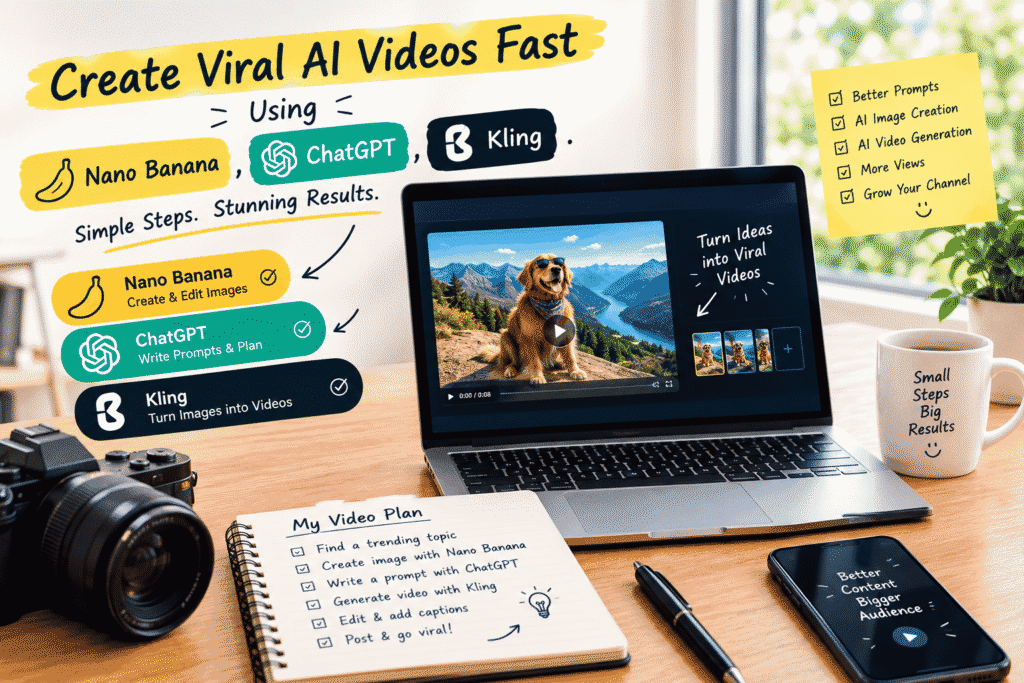
Create Viral AI Videos Fast Using Nano Banana, ChatGPT, and Kling
Creating videos used to require a camera, good lighting, editing software, a lot of time, and sometimes an entire team.
Today, AI is changing that process.
With the right tools and a clear creative workflow, you can turn a simple idea into an engaging video much faster. Tools such as Nano Banana, ChatGPT, and Kling can each play a different role in the process — from developing an idea and creating visuals to turning those visuals into moving video.
But there’s an important distinction: AI can make video creation faster, but it can’t guarantee that a video will go viral.
Virality still depends on the idea, timing, audience, storytelling, execution, and sometimes a little luck.
So instead of chasing a guaranteed viral formula, the smarter approach is to learn how to create interesting content quickly and test what your audience responds to.
Why AI Video Creation Is Becoming So Popular
Short-form video has become one of the easiest ways for creators and businesses to reach an audience.
The challenge is keeping up with the demand for fresh content.
You need ideas.
You need visuals.
You need scripts.
You need videos.
And you need to publish consistently.
AI can help reduce some of the repetitive work involved in that process.
Instead of starting every video from a completely blank page, you can use AI to move from idea → prompt → image → video → finished content much more efficiently.
The Role of Each AI Tool
The real power comes from combining different tools instead of expecting one tool to do everything.
Nano Banana: Create and Edit Visuals
Nano Banana can be used as part of the visual creation process to develop or modify images for your video concepts.
You might start with a simple idea and turn it into a visual scene that can later become the foundation for an AI-generated video.
The better your visual direction, the easier it becomes to create a consistent result.
ChatGPT: Your Creative Planning Partner
ChatGPT can help with the thinking behind the content.
You can use it to brainstorm:
Video ideas
Hooks
Scripts
Story concepts
Scene descriptions
Visual prompts
Captions
Titles
Content variations
For example, instead of asking:
“Give me a viral video idea.”
Try something more specific:
“Give me 10 short-form video concepts for a travel page. Each idea should have a strong opening hook, a simple visual concept, and a clear reason someone would want to watch until the end.”
Specific instructions usually produce more useful starting points.
Kling: Bring Your Images to Life
Once you have a suitable visual concept, an AI video generator such as Kling can help turn still images or creative directions into moving scenes.
This is where the process becomes particularly interesting.
A static image can become a short cinematic sequence with movement, camera motion, environmental details, and other visual effects.
The result can then become part of a larger short-form video.
Step 1: Start With the Idea
Don’t begin with the tool.
Begin with the content idea.
Ask yourself:
Why would someone want to watch this?
A beautiful AI-generated video isn’t automatically interesting.
You need a reason for the audience to stop scrolling.
Your idea could be:
Educational
Funny
Surprising
Emotional
Inspirational
Entertaining
Useful
Visually unusual
The strongest videos often combine an interesting idea with a strong visual experience.
Step 2: Create a Strong Hook
The first few seconds matter.
Your opening should quickly communicate why the viewer should continue watching.
For example:
“What if a normal city suddenly disappeared overnight?”
That’s more curiosity-driven than:
“Today we’re going to talk about cities.”
ChatGPT can help you brainstorm different hooks for the same concept.
Try generating several versions and then choose the one that best matches your audience.
Step 3: Build the Visual Concept
Once you know what you want to say, decide what the viewer should see.
Think about:
Location
Characters or objects
Lighting
Camera angle
Mood
Colors
Time of day
Environment
Visual style
The more clearly you describe the scene, the easier it becomes to maintain a consistent creative direction.
For example, instead of:
“A futuristic city.”
You could describe:
“A futuristic coastal city at sunset, with glass skyscrapers reflecting orange light, elevated transportation systems, pedestrians walking through a neon-lit market, cinematic atmosphere, wide-angle composition.”
The second description gives you much more to work with.
Step 4: Create Your Image
Now you can use your image-generation workflow to create the key visual.
Don’t worry if the first result isn’t perfect.
AI image creation is often an iterative process.
You might need to adjust:
Composition
Character appearance
Background
Lighting
Clothing
Camera angle
Object placement
The goal is to get a strong base image that can work as part of your video.
Step 5: Turn the Image Into Video
This is where Kling can become useful.
Take your visual concept and think about movement.
What should actually happen in the scene?
Maybe:
The camera slowly moves forward.
A character turns toward the camera.
Clouds move across the sky.
A car passes through the scene.
Water moves naturally.
A product rotates.
The camera changes perspective.
Don’t try to animate everything at once.
Simple, intentional movement can often look more natural than a scene filled with unnecessary motion.
Step 6: Add Story and Sound
A visually impressive AI clip is only one part of a successful video.
You may also need:
Voice-over
Music
Sound effects
Captions
Transitions
On-screen text
Think about how all of these elements work together.
For example, a dramatic visual combined with a calm voice-over can create a completely different feeling from the same visual paired with fast music and energetic narration.
The goal is to create an experience rather than simply generate an AI clip.
Step 7: Edit for Short-Form Content
Once you have your AI-generated clips, bring them together into a final edit.
Remove anything that feels slow or unnecessary.
Keep the pacing appropriate for the platform and audience.
You might structure a short video like this:
0–3 seconds: Hook
3–8 seconds: Introduce the idea
8–20 seconds: Develop the story
20–30 seconds: Deliver the payoff
Final seconds: Call to action or satisfying ending
The exact timing doesn’t need to follow a rigid formula. Different ideas work at different lengths.
What Actually Makes an AI Video Shareable?
AI alone doesn’t make content viral.
People share videos because the content gives them a reason to share.
They might find it:
Useful.
Funny.
Surprising.
Beautiful.
Relatable.
Emotional.
Interesting enough to show someone else.
That’s why content strategy matters just as much as the technology.
A simple AI-generated video with a fantastic idea can outperform a technically impressive video with no meaningful story.
Common AI Video Mistakes
Using AI Just Because You Can
Not every video needs AI.
If a simple phone recording communicates the idea better, use the phone.
AI should solve a creative problem, not become the entire point of the content.
Making Videos Too Complicated
Too many effects, camera movements, transitions, and visual elements can make a video difficult to follow.
Keep the viewer’s attention on the story.
Ignoring Consistency
Characters, environments, objects, and visual styles can sometimes change between AI-generated scenes.
Plan your visuals carefully and review each clip before putting the final video together.
Focusing Only on Visuals
A beautiful video without a compelling idea may not hold attention.
Start with the story and use visuals to support it.
Expecting Every Video to Go Viral
No workflow can guarantee virality.
Treat each post as an experiment.
Look at the response, learn what worked, and improve the next one.
A Simple AI Video Workflow
You can remember the whole process with this simple formula:
IDEA → HOOK → SCRIPT → IMAGE → VIDEO → EDIT → PUBLISH → LEARN
Use ChatGPT to help develop the idea, hook, script, and prompts.
Use Nano Banana as part of the image creation and editing workflow.
Use Kling to turn visual concepts into video.
Then edit everything into a finished piece of content.
Finally, publish it, study the response, and use what you learn to make the next video better.
The Future of AI Video Creation
AI video technology is making professional-looking visual content more accessible.
You no longer need a large production team to experiment with cinematic concepts.
A creator with a laptop and a good idea can explore scenes that would once have required cameras, locations, actors, and expensive production equipment.
But technology is only part of the equation.
The creators who stand out will still need to understand storytelling, audience psychology, pacing, creativity, and communication.
AI can help you produce faster.
Your ideas are what make the content worth watching.
Final Thoughts
Creating AI videos doesn’t have to be complicated.
Start with an idea people might care about. Use ChatGPT to develop the concept and plan your story. Create strong visuals with your image-generation workflow, use Kling to bring those visuals to life, and then edit everything into a concise and engaging video.
Don’t obsess over creating one “perfect” viral video.
Create.
Publish.
Learn.
Improve.
Repeat.
The more you experiment, the better you’ll understand what your audience responds to — and the faster you’ll become at turning simple ideas into engaging AI-powered videos.
