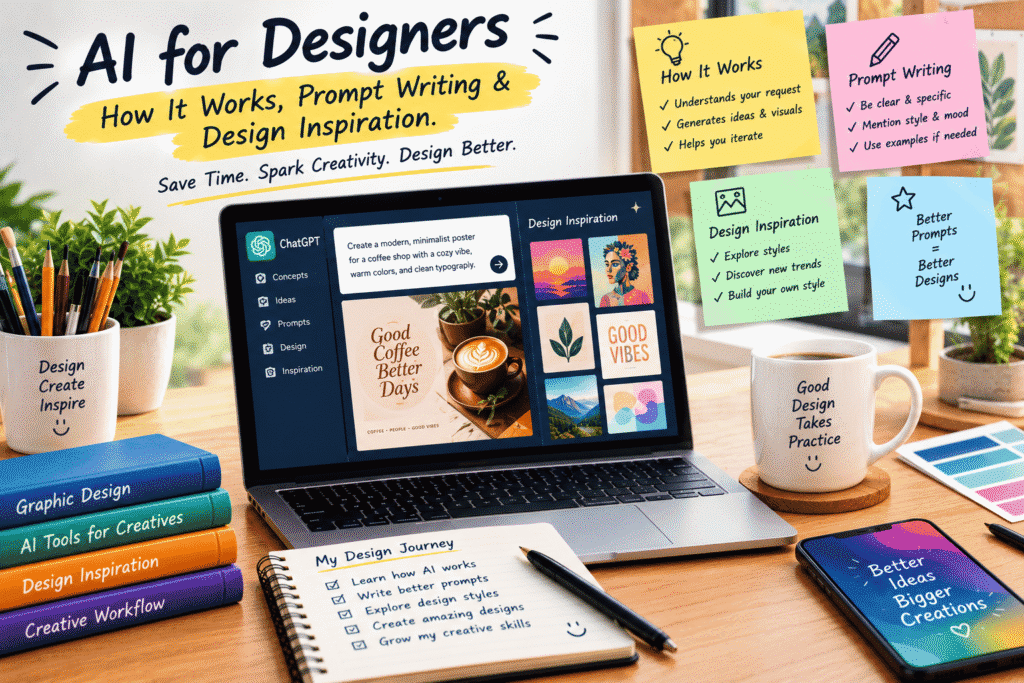
AI for Designers: How It Works, Prompt Writing & Design Inspiration
Design has always been a mix of creativity, problem-solving, and experimentation.
But the way designers work is changing quickly.
Today, AI can help you brainstorm concepts, explore visual styles, generate creative directions, improve your workflow, and even turn a rough idea into a visual starting point in minutes.
That doesn’t mean AI is replacing the designer.
In many cases, it is doing something much more useful: giving designers another creative tool to work with.
The real advantage comes from knowing how to communicate with AI and how to turn its suggestions into something that feels intentional, original, and useful.
That’s where prompt writing becomes important.
What Is AI for Designers?
AI for designers simply means using artificial intelligence as part of the creative process.
Depending on the project, AI can help with things like:
Brainstorming design concepts
Creating mood-board ideas
Exploring color combinations
Developing visual styles
Writing creative briefs
Generating image concepts
Creating layouts and compositions
Improving copy for designs
Finding new creative directions
Reworking existing ideas
Think of AI as a creative assistant.
You still decide what the design should communicate, who it is for, and what the final result should look like.
AI simply gives you more possibilities to explore.
How Does AI Actually Work?
You don’t need to understand complicated mathematics or computer science to start using AI as a designer.
At a practical level, you give an AI system instructions or information, and it generates a response based on patterns it has learned from large amounts of data.
For designers, this means you can describe an idea in natural language and ask AI to help develop it.
For example:
“Create a modern visual concept for a coffee brand aimed at young professionals. Use a warm, minimal aesthetic with earthy tones and clean typography.”
The better you communicate your idea, the more useful the response is likely to be.
And this leads us to one of the most important skills for creative AI work: prompt writing.
Why Prompt Writing Matters
A vague prompt often produces a vague result.
If you simply type:
“Make a coffee poster.”
You might get something interesting, but it may not match what you actually had in mind.
Now compare that with:
“Create a minimalist promotional poster for a specialty coffee shop. Use warm beige and dark brown tones, elegant serif typography, a close-up coffee cup, soft natural lighting, plenty of negative space, and a premium editorial feel.”
The second prompt gives the AI much more creative direction.
You’re not just asking for a coffee poster.
You’re describing the subject, audience, style, colors, composition, mood, and visual details.
That’s the difference between simply using AI and actually directing it.
The Anatomy of a Good Design Prompt
You don’t need complicated prompt formulas, but a simple structure can make your prompts much more effective.
Try thinking about these elements:
1. Subject
What are you creating?
For example:
Website hero image
Product advertisement
Social media post
Book cover
Logo concept
Packaging design
Poster
Editorial illustration
2. Style
What should it look like?
You could describe it as:
Minimalist
Modern
Luxury
Editorial
Playful
Futuristic
Vintage
Corporate
Hand-drawn
Cinematic
3. Colors
Give the AI a color direction when it matters.
For example:
“Use navy blue, white, and subtle gold accents.”
Or:
“Create a soft pastel palette with pink, cream, and muted green.”
4. Composition
Tell it how you want the elements arranged.
For example:
“Place the product on the right side with open space on the left for headline text.”
This can be especially useful when you’re creating graphics for websites, advertisements, and social media.
5. Mood
How should the design feel?
Maybe:
Calm
Energetic
Trustworthy
Elegant
Exciting
Friendly
Professional
Inspirational
6. Audience
Who is the design for?
A children’s product and a luxury fashion brand shouldn’t look the same.
Adding your audience gives the AI more context.
A Simple Prompt Formula
If you’re struggling to write prompts, use this simple structure:
Create [design type] for [audience/purpose], featuring [subject], in a [style] aesthetic, using [colors], with [composition], creating a [mood] feeling.
For example:
Create a social media advertisement for a modern fitness brand targeting young professionals, featuring a premium running shoe, in a bold minimalist style, using black, white, and electric blue, with the shoe positioned prominently in the center and plenty of negative space, creating an energetic and premium feeling.
You can then refine the result instead of trying to write the perfect prompt on your first attempt.
AI Is Great for Design Inspiration
One of the most useful applications of AI isn’t necessarily generating the final design.
Sometimes it’s simply helping you think differently.
Every designer eventually experiences creative blocks.
You stare at a blank artboard.
Nothing feels right.
You try one idea.
Delete it.
Try another.
Delete that too.
AI can help break that cycle.
Ask it for ten different creative directions for the same project.
You might not use any of them exactly as suggested, but one idea could lead to something much better.
That’s the real value of AI inspiration.
It gives you more doors to open.
Don’t Copy the First Idea AI Gives You
This is an important habit.
When AI generates something interesting, don’t immediately stop there.
Ask:
What can I change?
Maybe the composition could be simpler.
Maybe the colors should be more distinctive.
Maybe the typography needs more personality.
Maybe the concept is good but doesn’t fit the target audience.
Treat the first result as a starting point, not necessarily the final answer.
Good design often comes from iteration.
Use AI as a Creative Brainstorming Partner
You can also use AI before opening your design software.
Imagine you’re creating a campaign for a new skincare brand.
Instead of immediately designing, ask AI to help you explore:
Three different campaign concepts
Five possible visual directions
Color palette ideas
Typography combinations
Photography concepts
Social media post ideas
Website hero concepts
Tagline ideas
Now you have a creative map before you start designing.
That can save time and reduce the frustration of starting from nothing.
From Inspiration to Real Design
Here’s where the designer’s role becomes especially important.
AI may give you dozens of ideas, but someone still needs to decide:
Which idea actually works?
A designer considers things AI cannot automatically understand in the same way a human designer can:
Brand personality
Business goals
Audience expectations
Cultural context
Visual hierarchy
Usability
Accessibility
Consistency
Real-world constraints
AI can generate possibilities.
The designer chooses, improves, combines, and refines them.
Don’t Let AI Make Everything Look the Same
There’s a growing problem with AI-assisted design: everything can start looking a little too similar.
The same polished gradients.
The same futuristic interfaces.
The same perfect lighting.
The same trendy compositions.
If everyone follows the same prompts and trends, designs can lose personality.
That’s why your own creative direction matters.
Use AI to explore ideas, but add your own decisions.
Change the composition.
Experiment with unexpected combinations.
Bring in your brand’s personality.
Create something that doesn’t look like the first result everyone else would generate.
A Practical AI Design Workflow
You can build a simple workflow around AI without changing everything about how you already work.
Step 1: Understand the Brief
Before touching AI, understand the project.
What is the goal?
Who is the audience?
What message needs to be communicated?
Step 2: Brainstorm
Use AI to generate several creative directions.
Don’t settle for the first idea.
Step 3: Write Better Prompts
Turn your strongest concept into a detailed prompt.
Include the subject, style, mood, colors, composition, and audience.
Step 4: Generate and Explore
Create multiple variations.
Look for interesting details rather than expecting the first output to be perfect.
Step 5: Select the Strongest Direction
Choose the concepts that actually support your project goals.
Step 6: Refine
Adjust the idea using your own design skills.
Fix hierarchy, spacing, typography, color, composition, and brand consistency.
Step 7: Finalize
Move the concept into your normal design workflow and prepare the final assets.
AI becomes part of the process rather than the entire process.
Common Mistakes Designers Make With AI
Using One-Word Prompts
“Logo.”
“Poster.”
“Website.”
These prompts provide very little direction.
Give AI context.
Trying to Make the Perfect Prompt
Don’t spend twenty minutes worrying about one prompt.
Generate a starting point, evaluate it, and improve it.
Prompting is iterative.
Accepting the First Result
Your first result is rarely the only possibility.
Explore variations.
Forgetting the Brand
A visually beautiful image can still be completely wrong for a brand.
Always return to the project’s purpose.
Depending on Trends Too Much
Trendy isn’t always appropriate.
A design should serve the project rather than simply follow whatever style is popular at the moment.
AI Doesn’t Replace Creativity
This is probably the biggest misconception about AI and design.
Creativity isn’t simply the ability to generate an image.
Creativity is knowing what should be created and why.
AI can produce thousands of possibilities.
A designer decides which possibility has meaning.
That’s why learning design fundamentals is still incredibly valuable.
Understanding composition, typography, color theory, hierarchy, storytelling, branding, and user experience gives you the ability to judge AI-generated ideas instead of simply accepting them.
The Future Belongs to Designers Who Can Direct AI
The designers who benefit most from AI won’t necessarily be the people who know the most AI tools.
They’ll be the people who know how to combine design thinking with AI.
They’ll know how to explain an idea clearly.
They’ll know how to experiment quickly.
They’ll know how to recognize a strong concept.
And most importantly, they’ll know how to take an AI-generated starting point and turn it into something meaningful.
Final Thoughts
AI is changing the design process, but it doesn’t have to change what makes design creative.
Think of it as another tool in your toolbox.
Use it when you’re stuck.
Use it when you need inspiration.
Use it to explore ideas quickly.
Use it to experiment with directions you might not have considered.
But don’t hand over your creative judgment.
The best results happen when human creativity and AI assistance work together.
Start with a clear idea, write a better prompt, explore several possibilities, and then bring your own design skills into the process.
AI can generate an image in seconds.
But a designer gives that image a reason to exist.
