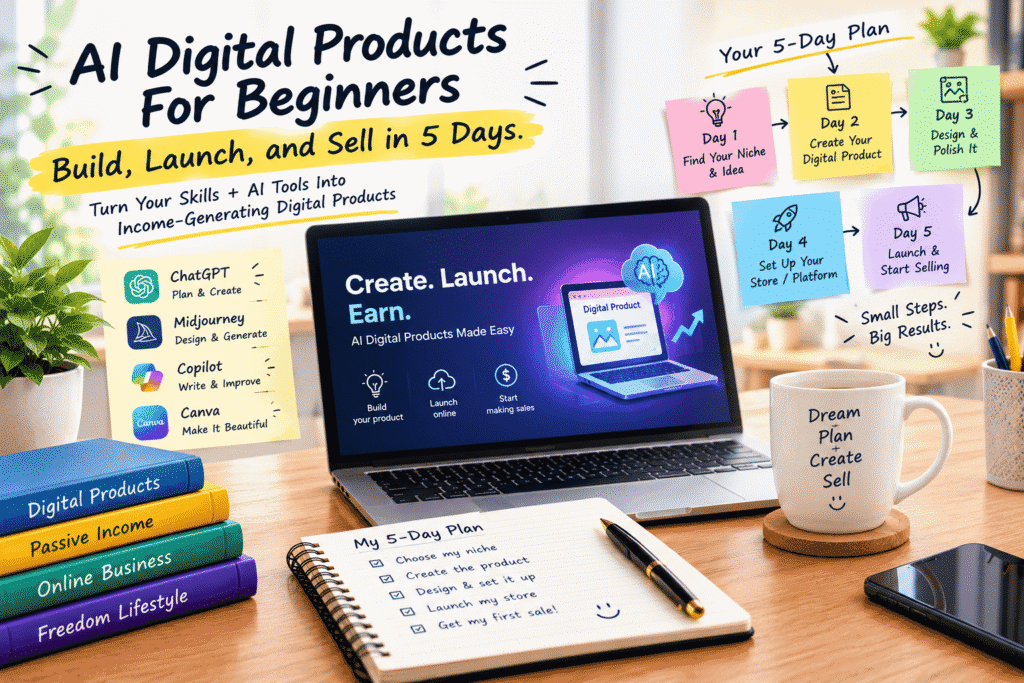
AI Digital Products for Beginners: Build, Launch, and Sell in 5 Days
Have you ever thought about creating something online that you could sell again and again without having to recreate it every time?
Maybe it’s an ebook, a template, a printable, a course, a checklist, a collection of prompts, or a useful digital guide.
That’s the appeal of digital products.
You create something useful once, put it online, and customers can access it digitally. And with today’s AI tools, the process of turning an idea into a finished digital product can be much faster than it used to be.
You don’t need to be a professional designer or an experienced online entrepreneur to get started.
What you do need is a useful idea, a clear audience, and a willingness to build and test your product.
What Is a Digital Product?
A digital product is something that customers can purchase and receive electronically rather than as a physical item.
Some common examples include:
Ebooks
Online courses
Templates
Planners
Checklists
Printable worksheets
Design assets
Prompt collections
Spreadsheets
Business guides
Digital artwork
The best digital products aren’t simply collections of information.
They solve a specific problem.
For example, instead of creating a generic “Social Media Guide,” you might create a 30-Day Instagram Content Planner for Small Restaurants.
The second product has a much clearer audience and purpose.
Why AI Makes Digital Product Creation Easier
Creating a digital product traditionally involves several different skills.
You may need to research the topic, outline the content, write everything, create graphics, format the product, write a sales page, and market it.
AI can help with many of these steps.
Tools such as ChatGPT can help brainstorm ideas and organize content. Image-generation tools can help create visual assets. Design platforms such as Canva can help turn your content into a polished final product.
But AI doesn’t automatically make a product valuable.
The value still comes from solving a real problem for a real customer.
Day 1: Find Your Niche and Product Idea
The first day is about deciding what you’re going to create.
Don’t start by asking:
“What can I make quickly?”
Start with:
“What would actually be useful to someone?”
Think about your own skills, experience, hobbies, and knowledge.
Then look for problems people repeatedly experience.
For example:
Job seekers need better CV templates.
Small businesses need social media content ideas.
Students need study planners.
Freelancers need proposal templates.
New entrepreneurs need business checklists.
Content creators need video-planning templates.
Once you have several possibilities, compare them.
Ask:
Who needs this?
What problem does it solve?
Would someone pay for a solution?
Are there already similar products?
Can I make mine more useful or easier to use?
AI can help you brainstorm and organize these questions, but market research and conversations with potential customers are still important.
Day 2: Create Your Digital Product
Once you’ve chosen an idea, it’s time to build the first version.
Start with a simple outline.
For an ebook, you might create:
Introduction
The problem
Key concepts
Step-by-step solutions
Examples
Practical exercises
Final checklist
For a template, focus on making it genuinely useful and easy to customize.
For a course, organize the material into clear lessons that take the learner from one point to another.
AI can help you generate an initial structure, but don’t simply publish whatever it produces.
Add your own knowledge.
Check the information.
Include real examples.
Remove unnecessary sections.
Make the product genuinely helpful.
Day 3: Design and Polish It
A useful product should also be easy to use.
This is where design becomes important.
You don’t need to create something incredibly complicated.
Focus on:
Clear headings
Easy-to-read text
Consistent formatting
Helpful visuals
Logical organization
Plenty of breathing room
Simple navigation
Tools such as Canva can make this process much easier for beginners.
You can also use AI to brainstorm cover ideas, visual concepts, illustrations, and design directions.
Before publishing, go through the entire product as if you’re the customer.
Ask yourself:
Is anything confusing?
Is anything missing?
Can I find what I need quickly?
Does this actually solve the problem promised on the sales page?
That final review can make a huge difference.
Day 4: Set Up Your Store or Selling Platform
Now it’s time to decide how people will purchase your product.
Depending on what you’re selling, you might use:
Your own website
An ecommerce platform
A digital-product marketplace
A course platform
A payment and delivery service
Your product page should answer the customer’s most important questions.
What is it?
Explain the product clearly.
Who is it for?
Help the right people recognize that it’s relevant to them.
What problem does it solve?
Focus on the outcome rather than simply listing features.
What’s included?
Give customers a clear picture of what they’re receiving.
Why should they trust you?
Share relevant experience, examples, previews, testimonials when available, or other legitimate trust signals.
And make the buying process as simple as possible.
Day 5: Launch and Start Selling
Your product is ready.
Now comes the part many beginners find uncomfortable:
Actually telling people about it.
Don’t expect customers to magically discover your product.
Start with people who might genuinely benefit from it.
You can promote your product through:
Social media
Email
Blog content
YouTube
Short-form video
Online communities
Search traffic
Partnerships
Paid advertising
You don’t need to use every channel.
Choose the places where your potential customers already spend time.
Create Content That Supports Your Product
Instead of constantly saying:
“Buy my product!”
create useful content around the problem your product solves.
For example, if you sell a social media planner, you could create posts about:
Common content-planning mistakes
How to create a weekly content schedule
Ways to generate post ideas
How to stay consistent on social media
Then introduce your product as a practical resource for people who want more help.
This approach gives people value before asking them to buy.
Use AI Without Losing the Human Touch
AI can dramatically speed up digital product creation, but there’s a temptation to let AI do everything.
That’s where quality can suffer.
If hundreds of people use AI to generate similar ebooks, templates, and guides, simply having an AI-generated product isn’t enough to stand out.
Your experience matters.
Your examples matter.
Your research matters.
Your perspective matters.
Use AI to accelerate the work, not to remove the human thinking behind it.
A Simple AI Digital Product Workflow
The entire process can be simplified into:
IDEA → RESEARCH → CREATE → DESIGN → LAUNCH → MARKET → IMPROVE
Use AI during each stage where it genuinely saves time.
For example:
Idea: Brainstorm product opportunities.
Research: Organize customer questions and market information.
Create: Develop outlines, drafts, examples, and supporting materials.
Design: Create visual concepts and improve presentation.
Launch: Write product descriptions and sales-page drafts.
Market: Develop content ideas, emails, and promotional messages.
Improve: Analyze customer feedback and update the product.
What Makes a Digital Product Worth Buying?
A beautiful PDF isn’t necessarily a valuable product.
Customers pay for solutions.
A good digital product should ideally help them:
Save time
Learn something
Solve a problem
Make a task easier
Avoid mistakes
Organize information
Reach a specific goal
Before launching, ask yourself:
“If I were the customer, would this product genuinely make my life easier?”
If the answer is yes, you’re moving in the right direction.
Don’t Expect Overnight Success
The “5 days” in a digital product workflow should be viewed as a focused creation and launch framework — not a guarantee that you’ll build a successful business in five days.
Your first product might not sell immediately.
That’s okay.
Maybe the price needs to change.
Maybe your product needs improvement.
Maybe you’re targeting the wrong audience.
Maybe people don’t understand the benefit.
Maybe you simply haven’t reached enough potential customers yet.
Every launch gives you information.
Use that information to make the next version better.
The Bigger Opportunity With Digital Products
One of the most interesting things about digital products is that a single idea can evolve into an entire business.
You might start with a simple checklist.
Then create a more detailed guide.
Then develop a template.
Then turn the subject into a course.
Then build a membership or community around it.
The first product doesn’t have to be the final destination.
It can be the beginning of something much bigger.
Final Thoughts
Creating a digital product may seem complicated when you look at the entire process at once.
But when you break it into small steps, it becomes much more manageable.
Day 1: Find a useful idea.
Day 2: Build the product.
Day 3: Design and polish it.
Day 4: Set up your selling platform.
Day 5: Launch and start marketing.
AI can help you move through these steps faster, but remember that speed isn’t the only goal.
Value matters.
Create something that solves a real problem, make it easy to use, listen to your customers, and keep improving it.
You don’t need a perfect product to get started.
You need a useful idea, a clear customer, and the courage to put your first product out into the world.
