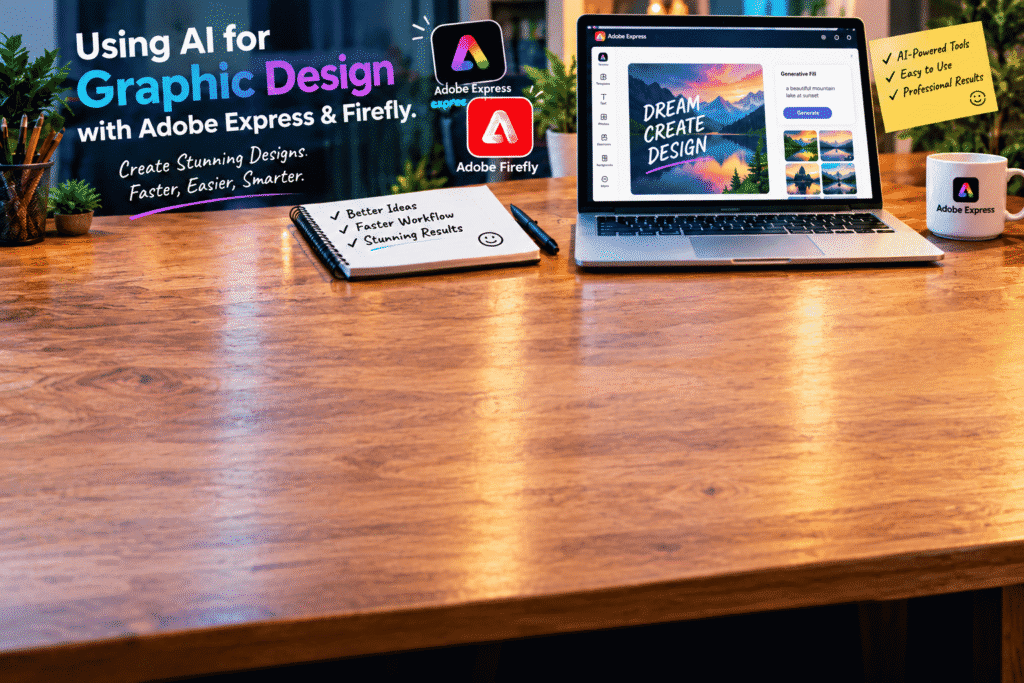
Using AI for Graphic Design with Adobe Express & Firefly
Graphic design used to feel like something that required years of experience, expensive software, and plenty of time.
Today, things are changing.
With AI-powered tools such as Adobe Express and Adobe Firefly, creating graphics can be much faster and more accessible. You don’t need to be an expert designer to turn an idea into a social media graphic, poster, presentation, promotional image, or creative visual.
The real advantage isn’t simply that AI can generate images. It’s that AI can help you move from idea to finished design with less repetitive work.
What Is AI-Powered Graphic Design?
AI-powered graphic design combines traditional design tools with artificial intelligence.
Instead of manually creating every element from scratch, you can use AI to brainstorm ideas, generate images, modify visuals, remove objects, create variations, and speed up parts of the design process.
This doesn’t mean the designer becomes unnecessary.
In fact, your creative decisions still matter. AI simply gives you more tools to experiment with your ideas.
What Is Adobe Express?
Adobe Express is a user-friendly design platform designed to help people create visual content quickly.
You can use it for many different types of projects, including:
Social media posts
Instagram stories
Posters
Flyers
Presentations
Advertisements
Videos
Marketing graphics
Invitations
Brand content
One of the biggest advantages is that you don’t always have to begin with a completely blank canvas.
Templates, layouts, fonts, images, and other design resources can help you get started quickly.
What Is Adobe Firefly?
Adobe Firefly is Adobe’s family of generative AI tools for creative work.
One of its most useful features is the ability to create or modify visual content using natural-language prompts.
For example, you might describe an image like:
“A modern workspace with a laptop, coffee cup, plants, and warm morning sunlight, professional photography style.”
Instead of manually searching for every element, generative AI can help you explore visual possibilities based on your description.
Firefly can also be useful for editing and experimenting with existing creative assets.
Why Combine Adobe Express and Firefly?
The two tools can work together in a very practical way.
Think of it like this:
Firefly helps you generate and explore creative assets.
Adobe Express helps you turn those assets into finished designs.
For example, imagine you’re creating an advertisement for a coffee shop.
You could use Firefly to generate a visually appealing coffee image. Then you could bring that visual into Adobe Express and add:
The business logo
Promotional text
Pricing
Contact information
Social media details
A call to action
Instead of jumping between several different applications, you can build a more streamlined creative workflow.
AI Can Help You Start Faster
One of the hardest parts of graphic design is often the beginning.
You know what you want to create, but you don’t know exactly how it should look.
AI can help you overcome that blank-page problem.
You can describe your idea and explore different visual directions before deciding which one works best.
For example:
“Create a modern promotional concept for a summer clothing sale using bright, energetic colors and a clean fashion style.”
You might not use the first result exactly as it appears. That’s okay.
The purpose is to generate possibilities.
Creating Better Prompts
The quality of your AI-generated design often depends on how clearly you describe your idea.
A simple prompt such as:
“Create a travel poster.”
doesn’t provide much direction.
A more detailed prompt could be:
“Create a modern travel poster featuring a tropical beach at sunset, turquoise water, palm trees, warm golden lighting, clean editorial composition, and space for a promotional headline.”
Now the AI has much more information to work with.
When writing prompts, consider including:
Subject
Environment
Style
Lighting
Mood
Colors
Composition
Perspective
Intended use
You don’t need to include every detail every time. Start simple and add information when you need more control.
A Simple AI Graphic Design Workflow
You can use a straightforward process when working with Adobe Express and Firefly.
Step 1: Decide What You Want to Create
Start with a clear goal.
Are you making a social media post? A product advertisement? A poster? A YouTube graphic?
Knowing the purpose makes the rest of the process easier.
Step 2: Develop Your Idea
Think about the message you want the design to communicate.
For example:
“I want to promote a weekend sale and make the offer feel exciting but professional.”
That’s more useful than simply saying:
“I need a sale graphic.”
Step 3: Generate Visual Ideas
Use Firefly to explore possible images, backgrounds, or creative elements that fit your concept.
Try different prompts and visual directions.
Step 4: Build the Design in Adobe Express
Bring your chosen visual into Adobe Express.
Add your typography, logo, colors, shapes, and other branding elements.
Step 5: Refine the Layout
Look at the overall composition.
Is the headline easy to read?
Is the main image getting enough attention?
Is there too much information?
Does the design look balanced?
Small adjustments can make a big difference.
Step 6: Export and Share
Once you’re happy with the result, prepare the design for its intended platform.
A social media post, printed poster, and presentation slide may all require different dimensions and layouts.
Creating Social Media Content With AI
Social media is one area where AI-powered design can save a lot of time.
Businesses often need to create content regularly, and producing every graphic manually can become repetitive.
You can use AI to help develop visual ideas for:
Product launches
Promotional campaigns
Seasonal offers
Educational posts
Quotes
Announcements
Events
Brand stories
You can then customize the final design so it fits your brand.
The goal isn’t to make every post look automatically generated.
The goal is to create a workflow that lets you produce useful, consistent content more efficiently.
AI Doesn’t Replace Good Design
This is worth remembering.
Having access to an AI tool doesn’t automatically make someone a good designer.
You still need to understand basic principles such as:
Hierarchy — What should viewers notice first?
Contrast — Can people easily distinguish the important elements?
Typography — Is the text readable and appropriate?
Spacing — Does the design have enough breathing room?
Consistency — Do the colors, fonts, and visuals work together?
AI can generate possibilities, but you still have to decide which possibilities are actually good.
Make the Design Your Own
One of the best ways to use AI is to treat the generated result as a starting point.
Add your own branding.
Change the colors.
Rewrite the text.
Adjust the layout.
Replace elements.
Add your own photography.
Experiment with different compositions.
This makes the final design feel much more personal and relevant to your audience.
Who Can Benefit From These Tools?
You don’t have to be a professional graphic designer to benefit from AI-powered design tools.
They can be especially useful for:
Small Business Owners
Create promotional graphics, advertisements, and social media content without starting every project from scratch.
Marketers
Develop campaign concepts and visual content faster.
Content Creators
Create thumbnails, social graphics, promotional visuals, and other content for different platforms.
Freelancers
Speed up repetitive parts of the design process while keeping creative control.
Students
Create presentations, posters, projects, and other visual materials.
Beginners
Experiment with graphic design without needing to master complicated software immediately.
Use AI Responsibly
AI-generated content should always be reviewed before you use it professionally.
Check the text, visual details, facts, branding, and overall quality.
You should also pay attention to the licensing and usage terms that apply to the specific tools and assets you’re using, particularly for commercial projects.
And don’t forget the human element.
A beautiful image is useful, but a design that communicates the right message to the right audience is much more valuable.
Final Thoughts
AI is making graphic design more approachable.
With Adobe Express and Firefly, you can brainstorm ideas, generate visual assets, experiment with different styles, and turn concepts into polished designs more efficiently.
But the most important tool is still your own creativity.
AI can generate an image.
It can suggest a layout.
It can help you explore an idea.
You decide what the design should communicate.
Start with a clear idea, use AI to explore possibilities, and then bring your own judgment and creativity into the final design.
That’s where AI-powered graphic design becomes truly useful—not when AI does everything for you, but when AI helps you create better work, faster.
