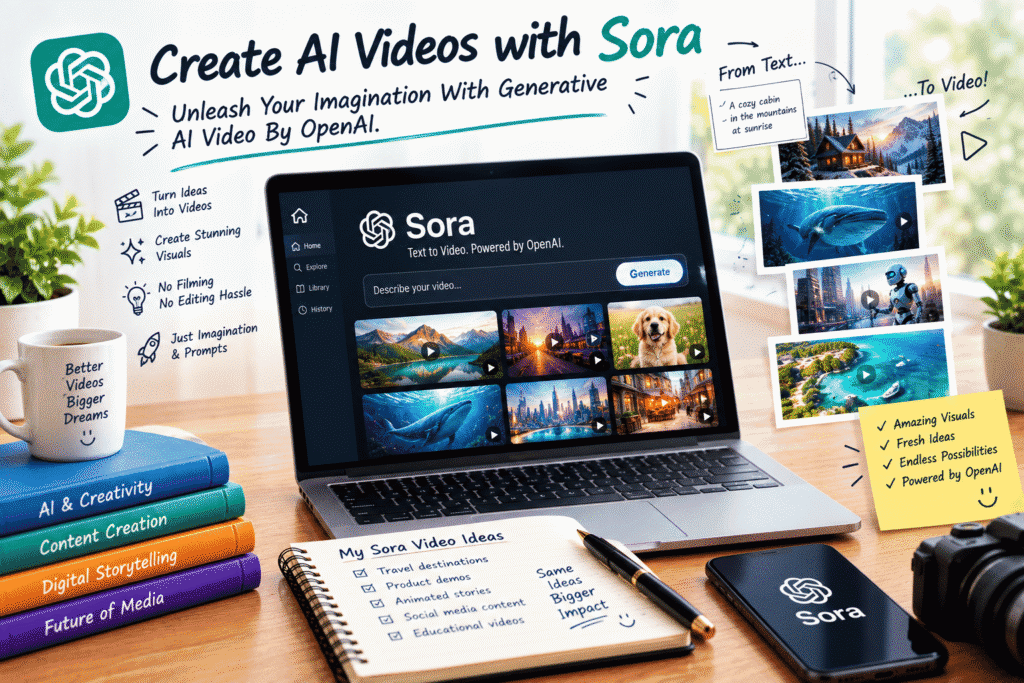
Create AI Videos with Sora: Unleash Your Imagination With Generative AI Video
Imagine having a video idea in your head and being able to describe it in a few sentences.
A cinematic mountain landscape at sunrise.
A futuristic city floating above the clouds.
A product commercial that looks like it was filmed in a professional studio.
An animated story taking place in a world that doesn’t exist.
For years, turning ideas like these into videos required cameras, locations, actors, lighting, editing software, and a lot of time.
Generative AI started changing that workflow.
OpenAI’s Sora became one of the most talked-about examples of text-to-video generation, showing how written instructions could be transformed into moving visual scenes. OpenAI described Sora as a model capable of generating video from text and also working with image and video inputs.
Although the original Sora product has since been discontinued, its development represents an important shift in how creators can think about video production.
The interesting part isn’t simply “AI can make videos.”
It’s what happens when you combine AI with imagination, storytelling, and creative direction.
What Is Generative AI Video?
Traditional video production starts with physical elements.
You need to film something.
Generative AI video takes a different approach.
You describe what you want, and an AI model generates visual content based on that description.
For creators, this opens up a completely different way of working.
Instead of asking:
“How can I film this?”
You can start asking:
“What do I want the audience to see?”
That shift is powerful.
Your imagination becomes the starting point rather than the limitations of your camera equipment or location.
What Made Sora Interesting?
Sora was introduced by OpenAI as a text-to-video model designed to understand written prompts and generate videos from them. OpenAI’s research described capabilities including complex scenes, multiple characters, specific motion, and visual consistency across shots.
Later, Sora 2 expanded the concept with stronger controllability, more realistic physics, synchronized dialogue and sound effects, and a broader range of visual styles.
These developments point toward a larger change in video creation:
The prompt can become part of the production process.
Instead of operating a camera first and editing afterward, creators can begin by describing a scene, testing ideas, and iterating on the result.
The Real Skill Is Learning to Describe What You See
Using generative video effectively isn’t just about typing:
“Create a beautiful video.”
That’s too vague.
Think like a director.
What is happening?
Where is the camera?
What does the environment look like?
What is the lighting?
How does the subject move?
What mood should the scene have?
What visual style are you trying to achieve?
The more clearly you communicate your creative intention, the more useful your prompt becomes.
A Simple AI Video Prompt Formula
You can build a video prompt around a few basic elements:
Subject + Action + Environment + Camera + Lighting + Style + Mood
For example:
“A lone explorer walks slowly across a vast snowy mountain ridge at sunrise, surrounded by dramatic peaks and blowing snow. Wide cinematic camera movement, soft golden light, realistic textures, atmospheric depth, adventurous and inspirational mood.”
Notice how much information is contained in that one description.
You’re not simply asking for a mountain video.
You’re describing a scene.
Start With the Story, Not the Technology
This is one of the biggest lessons for anyone learning AI video creation.
Don’t start by asking:
“What can the AI generate?”
Start with:
“What story do I want to tell?”
Maybe you’re creating a product advertisement.
Your story might be:
Problem → Product → Transformation → Result
Maybe you’re creating a travel video:
Destination → Discovery → Experience → Emotion
Maybe you’re creating a short cinematic story:
Character → Challenge → Action → Resolution
Once you have the story, AI becomes a tool for visualizing it.
Think in Shots
A common beginner mistake is trying to describe an entire movie in one prompt.
Instead, break your idea into individual shots.
For example, imagine you’re creating a short video about a futuristic city.
Shot 1
A wide aerial view of the futuristic city at sunset.
Shot 2
A close-up of a flying vehicle moving between skyscrapers.
Shot 3
A person standing on a rooftop looking across the city.
Shot 4
The camera moves toward a glowing building.
Shot 5
The city lights gradually illuminate the night.
Now you have a sequence.
This approach makes storytelling much easier because you’re thinking like a filmmaker rather than simply generating random clips.
Camera Direction Makes a Huge Difference
One of the most exciting parts of AI video generation is the ability to describe camera behavior.
You can think about:
Wide shot
Close-up
Medium shot
Overhead shot
Tracking shot
Slow push-in
Camera pan
Camera tilt
Low-angle shot
High-angle shot
Cinematic dolly movement
For example:
“The camera slowly pushes toward the character as the city lights begin to glow behind them.”
That’s much more specific than:
“Make a cool city video.”
The first prompt gives the model a visual direction.
Don’t Forget Lighting
Lighting can completely change the feeling of a scene.
Compare:
Soft morning sunlight
with:
Dark blue nighttime lighting with dramatic neon reflections.
They’re the same basic environment, but they create completely different emotions.
You can experiment with:
Golden-hour lighting
Soft natural light
Studio lighting
Dramatic shadows
Neon lighting
Moonlight
Foggy atmospheric lighting
High-contrast cinematic lighting
Lighting is one of the easiest ways to establish mood.
AI Video Is Also About Experimentation
Your first generation doesn’t have to be perfect.
Actually, it probably won’t be.
That’s okay.
The creative process becomes much more interesting when you treat each generation as an experiment.
Maybe the camera movement is great but the environment isn’t.
Maybe the lighting looks amazing but the subject isn’t positioned correctly.
Maybe the overall idea works but the scene needs a different mood.
Instead of starting over completely, identify what works and improve the prompt.
That’s the beginning of an AI-assisted creative workflow.
Use AI to Explore Ideas You Couldn’t Easily Film
This is where generative video becomes especially exciting.
Think about scenes that would normally require enormous production resources:
A city on another planet.
A house floating above an ocean.
A giant underwater library.
A miniature world inside a coffee cup.
A futuristic transportation system.
A fantasy landscape that doesn’t exist anywhere on Earth.
These ideas don’t have to be physically possible for you to explore them visually.
That’s one of the most valuable aspects of generative AI:
It lowers the production barrier between imagination and visual experimentation.
AI Video Doesn’t Mean “One Click and Done”
It’s tempting to imagine AI video as a magic button.
Type something.
Get a perfect video.
Publish it.
Real creative work is usually more complicated.
You may need to:
Rewrite prompts
Generate multiple versions
Select the strongest shots
Build a sequence
Edit clips together
Add music
Add sound effects
Record narration
Add captions
Adjust pacing
Color-grade footage
Create transitions
The AI can accelerate parts of the process, but creative judgment still matters.
Combine AI With Traditional Editing
Generated clips become much more useful when they’re part of a larger production workflow.
You might generate several short scenes and then bring them into your preferred video editor.
From there, you can create a complete story.
For example:
AI generation → Clip selection → Editing → Voiceover → Music → Sound effects → Captions → Final export
This approach gives you much more control than expecting one generation to contain the entire finished video.
Create Videos for Different Purposes
AI-generated video can inspire many different types of creative projects.
Social Media Content
Create short visual stories, educational clips, concept videos, and promotional content.
Marketing
Visualize products, campaigns, environments, and advertising concepts.
Storytelling
Turn written ideas into cinematic scenes.
Education
Create visual explanations for concepts that are difficult to demonstrate physically.
Concept Development
Explore ideas before investing in expensive production.
Creative Experiments
Simply create something that would be difficult or impossible to film traditionally.
The important thing is to match the technology to the purpose.
Don’t Chase Realism Every Time
AI video doesn’t always need to look like a traditional film.
You can experiment with different creative directions:
Cinematic
Animated
Surreal
Stylized
Vintage
Futuristic
Dreamlike
Minimalist
Documentary-inspired
Fantasy
Sometimes an obviously artistic style can communicate an idea better than photorealism.
The question isn’t:
“Does this look real?”
The better question is:
“Does this look right for the story?”
Common Mistakes Beginners Make
Writing Extremely Vague Prompts
“Create a beautiful video” doesn’t tell the model enough.
Give it context.
Trying to Describe Too Much at Once
A complicated prompt doesn’t automatically produce a better result.
Be detailed, but keep the scene understandable.
Ignoring Camera Movement
A visually interesting subject can still produce a boring video if the camera direction isn’t considered.
Expecting Perfect Physics
AI video models can still make mistakes with complex interactions, movement, spatial relationships, and physical cause-and-effect. OpenAI has specifically documented these limitations in its Sora research and system documentation.
Forgetting the Editing Stage
A generated clip is not necessarily a finished video.
The final storytelling often happens during editing.
Think Like a Director
One of the best ways to improve your AI video prompts is to stop thinking like someone giving instructions to a machine.
Think like a director.
Instead of:
“A woman in a city.”
Think:
“A young woman in a long dark coat walks through a rain-soaked futuristic city at night. Neon signs reflect across the pavement as the camera slowly tracks beside her. Cool blue and magenta lighting create a mysterious cinematic atmosphere.”
Now you’re giving the AI a scene to interpret.
You’re describing the world.
You’re directing the camera.
You’re setting the mood.
You’re telling a story.
Build Your Own Prompt Library
If you create AI videos regularly, save the prompts that work well.
Create categories such as:
Camera prompts
Tracking shots, close-ups, aerial views, push-ins, pans.
Lighting prompts
Golden hour, neon, studio, dramatic shadows.
Environment prompts
Cities, forests, beaches, interiors, futuristic environments.
Style prompts
Cinematic, animated, vintage, surreal, realistic.
Motion prompts
Walking, running, flying, rotating, flowing, drifting.
Over time, you’ll build your own creative toolkit.
Instead of starting from a blank page every time, you’ll have a collection of ideas that you can combine and modify.
Use AI Responsibly
Generative video is powerful, which means creators also need to think about responsible use.
AI-generated footage can look convincing, so it’s important not to present fabricated material as authentic real-world footage when doing so could mislead people.
OpenAI has also emphasized provenance and transparency measures around Sora-generated content, including C2PA metadata and other signals intended to help identify AI-generated media.
Good AI creation isn’t just about what you can generate.
It’s also about understanding how that content should be used.
The Future of Video Creation
The biggest change may not be that AI can generate video.
It may be that the barrier between having an idea and visualizing it continues to shrink.
A filmmaker can explore concepts before production.
A designer can test visual directions.
A marketer can visualize campaign ideas.
A teacher can create imaginative educational scenes.
A storyteller can turn written descriptions into visual experiments.
And someone who has never owned a camera can begin exploring filmmaking through words and ideas.
That’s a significant shift.
Final Thoughts
Generative AI video isn’t about replacing creativity.
It’s about giving creativity another way to express itself.
The most valuable skill isn’t simply knowing which button to press.
It’s knowing how to imagine a scene, describe it clearly, experiment with different possibilities, and turn individual clips into a meaningful story.
Sora helped demonstrate how powerful that idea could become, and the technology continues to evolve beyond any single product.
So if you’re interested in AI filmmaking, don’t begin by trying to create the biggest or most complicated video possible.
Start with one scene.
Write one prompt.
Generate an idea.
Change the camera.
Change the lighting.
Try another style.
Then turn your best shots into a story.
Your imagination is the starting point. AI is the tool that helps you explore it.
