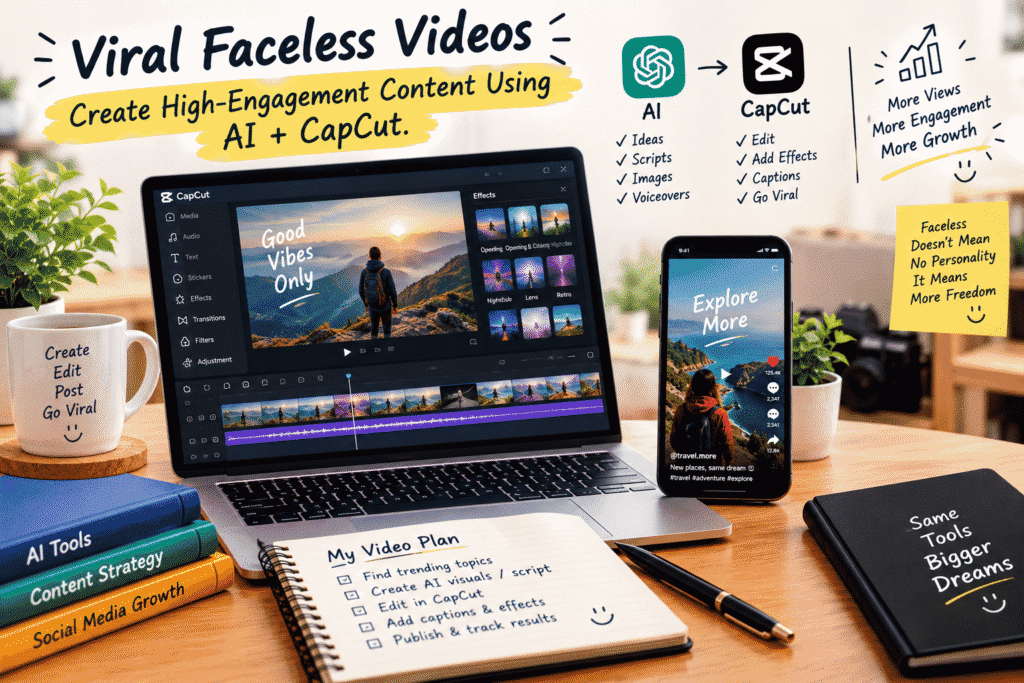
Viral Faceless Videos: Create High-Engagement Content Using AI + CapCut
You don’t need to stand in front of a camera to build an audience.
That’s one of the most exciting things happening in content creation right now. With AI tools and simple video editors like CapCut, almost anyone can turn an idea into an engaging short-form video without showing their face, buying expensive equipment, or spending hours learning complicated editing software.
But there’s an important difference between making a faceless video and making a faceless video people actually want to watch.
A few stock clips, an AI voice, and some captions aren’t automatically going to make a video go viral. The real skill is knowing how to combine a good idea, strong storytelling, useful visuals, smart editing, and the right pacing.
That’s exactly what this workflow is about.
What Are Faceless Videos?
Faceless videos are content pieces where the creator doesn’t appear on camera.
Instead of talking directly to the audience, the video might use:
AI-generated visuals
Stock footage
Screen recordings
Product demonstrations
Animated graphics
Text and captions
AI-generated voiceovers
Music and sound effects
B-roll footage
You’ll see this format everywhere on platforms like TikTok, YouTube Shorts, Instagram Reels, and Facebook.
And the best part? Your face isn’t the product. Your content is.
That gives creators more flexibility to experiment with different topics and formats.
Why Are Faceless Videos So Popular?
Creating traditional video content can feel intimidating.
You need a camera, lighting, a good background, confidence on camera, and sometimes multiple takes before you’re happy with the result.
Faceless content removes many of those barriers.
You can create a video from your laptop or even your phone. AI can help with research, brainstorming, scripting, visuals, and voiceovers, while CapCut can bring everything together.
This makes the process much more accessible for beginners.
But accessibility doesn’t mean effortless.
If you want people to stop scrolling, you still need to understand what makes content interesting.
The Secret Is the Hook
The first few seconds of a short video matter enormously.
People are scrolling quickly, so your opening needs to give them a reason to stay.
Instead of starting with:
“Today we’re going to talk about five productivity tips…”
Try opening with something that creates curiosity:
“You’re probably wasting an hour every day without realizing it.”
Or:
“Nobody tells beginners this about making money online.”
Or:
“I tested this AI tool for seven days. Here’s what happened.”
The goal isn’t to trick people.
The goal is to immediately communicate why the video is worth watching.
A strong hook creates curiosity, promises value, or introduces a problem your viewer wants solved.
How AI Can Help You Create Faceless Videos
AI can become your creative assistant throughout the entire process.
You can use it to brainstorm video ideas, research topics, create outlines, write scripts, generate visual concepts, improve hooks, create captions, and even develop different versions of the same content.
For example, imagine your niche is personal development.
Instead of staring at a blank screen wondering what to post, you could ask AI to generate:
20 short-video ideas
10 curiosity-driven hooks
A 45-second script
Visual suggestions for every scene
A closing call-to-action
Caption ideas
Relevant keywords and hashtags
The important thing is not to let AI completely replace your creativity.
Use it as a starting point, then add your own perspective.
That human touch is often what separates forgettable content from content people connect with.
Step 1: Find a Topic People Care About
Before opening CapCut, figure out what you’re actually going to say.
A viral-looking edit can’t rescue a boring idea.
Start by looking for topics that solve a problem, answer a question, entertain people, or make them curious.
Some examples include:
Education:
“3 AI tools that can save you hours every week”
Business:
“Why most small businesses struggle to get customers online”
Motivation:
“Stop waiting until you feel ready.”
Technology:
“5 AI features you probably aren’t using”
Travel:
“Three mistakes first-time travelers make”
Choose a topic where you can provide something useful or interesting in a short amount of time.
Step 2: Create a Short, Strong Script
Once you have the idea, turn it into a simple script.
A useful structure is:
Hook → Problem → Value → Payoff → CTA
For example:
Hook:
“Your phone might be making you less productive.”
Problem:
“Every notification pulls your attention away from what you’re doing.”
Value:
“Turn off non-essential notifications and create specific times to check messages.”
Payoff:
“You’ll spend less time switching between tasks and more time actually finishing them.”
CTA:
“Follow for more simple productivity tips.”
You don’t need a five-minute speech.
For short-form content, every sentence should have a reason to exist.
Step 3: Turn the Script Into Visuals
Now comes the fun part.
Think about what the viewer should see while hearing each sentence.
If your script says:
“Your phone might be making you less productive.”
You could show a phone overflowing with notifications.
If you say:
“Every notification pulls your attention away…”
Show someone switching between apps or rapidly checking their phone.
The visuals don’t have to literally illustrate every word. They simply need to support the story and keep the screen moving.
This is where AI-generated images, stock footage, screen recordings, animations, and other visual assets can become useful.
Step 4: Bring Everything Into CapCut
Once your assets are ready, bring them into CapCut.
Start with your voiceover or main audio track and build the video around it.
Then add your visuals in sequence.
After that, focus on the details:
Trim unnecessary pauses
Keep scenes moving
Add captions
Use transitions where they make sense
Add background music
Include subtle sound effects
Highlight important words
Adjust the timing of text
Keep the screen visually interesting
Don’t add effects just because they’re available.
A good edit should make the content easier to follow, not distract viewers from it.
Captions Are More Important Than You Think
Captions aren’t just decoration.
They help viewers understand your message, especially when they’re watching without sound.
Use short lines and emphasize important words.
Instead of putting an entire paragraph on screen, break it into smaller pieces.
For example:
STOP
SCROLLING
AND START
CREATING.
The exact style depends on your brand, but readability should always come first.
Keep Your Videos Moving
One common problem with faceless content is that it can feel repetitive.
Imagine watching the same background footage for 30 seconds while an AI voice talks.
Even if the information is good, the viewer may lose interest.
You can improve retention by changing something visually every few seconds:
Switch footage
Zoom slightly
Introduce text
Add an image
Highlight a keyword
Change the composition
Add a subtle sound effect
Show a screen recording
You don’t need chaotic editing.
You simply want to avoid visual stagnation.
AI + CapCut: A Simple Content Workflow
Once you become comfortable with the process, you can turn it into a repeatable system.
1. Research
Find topics your audience cares about.
2. Brainstorm
Use AI to develop angles and hooks.
3. Script
Create a concise, conversational script.
4. Create visuals
Generate or collect footage, images, screen recordings, and other assets.
5. Voiceover
Record your own voice or use an appropriate AI voice.
6. Edit in CapCut
Combine the audio, visuals, captions, music, and effects.
7. Review
Watch the entire video before publishing.
8. Publish and analyze
Look at what viewers responded to and use that information for your next video.
This is much more sustainable than trying to make every video from scratch without a system.
What Makes a Faceless Video Engaging?
Going viral isn’t something you can guarantee.
However, you can create content with qualities that encourage people to keep watching and interact.
A strong faceless video usually has:
A Clear Idea
The viewer should understand what the video is about quickly.
A Strong Opening
Give people a reason to continue watching.
Good Pacing
Don’t make the video unnecessarily slow.
Useful or Entertaining Content
Give viewers something worth their time.
Visual Variety
Keep the screen interesting without overwhelming the viewer.
Strong Audio
Clear voiceover and appropriate music can dramatically affect the viewing experience.
A Reason to Engage
Ask a question, invite an opinion, or encourage viewers to share their experience when appropriate.
Don’t Make Every Video Look the Same
Once creators find a format that works, there’s a temptation to copy it repeatedly.
Consistency is useful, but repetition can become boring.
Experiment with different:
Hooks
Video lengths
Visual styles
Narration styles
Topics
Editing rhythms
Story structures
You may discover that one format works particularly well for educational videos while another works better for storytelling.
Let your audience’s response guide your experiments.
Common Mistakes Beginners Make
Using AI Without Editing
AI can produce a starting point, but raw AI-generated scripts often sound generic.
Rewrite them in a way that sounds natural.
Overloading the Video With Effects
More effects don’t automatically mean better content.
Sometimes a clean edit is much more engaging.
Making the Introduction Too Long
Get to the point.
If the interesting part starts 15 seconds into a 30-second video, many viewers may never reach it.
Choosing Quantity Over Quality
Posting frequently is useful, but producing ten forgettable videos isn’t necessarily better than producing several thoughtful ones.
Copying Other Creators Too Closely
Study successful content to understand why it works, but develop your own voice and presentation.
You Don’t Need to Go Viral Every Time
This is probably the most important mindset shift.
Not every video will explode.
And that’s okay.
One video may get 500 views. Another may get 5,000. Another might unexpectedly reach a much larger audience.
Instead of judging your entire strategy by one video’s performance, look for patterns.
Which hooks perform better?
Which topics generate comments?
Which videos get watched longer?
Which formats bring followers?
Over time, these signals can help you create smarter content.
Build a Content System, Not Just One Viral Video
The real opportunity isn’t creating one viral video.
It’s building a process that allows you to consistently create good content.
With AI handling some of the repetitive creative work and CapCut simplifying the editing process, you can spend more time thinking about ideas, storytelling, and your audience.
That’s where the real advantage comes from.
Idea → Script → Visuals → Voice → CapCut → Publish → Learn → Repeat.
Once this workflow becomes familiar, creating faceless videos becomes much less overwhelming.
Final Thoughts
Faceless content has opened the door for people who want to create videos but don’t necessarily want to become the face of a channel.
You don’t need a professional studio or expensive camera setup.
You need a good idea, a useful story, the right visuals, and a repeatable workflow.
AI can help you move faster. CapCut can help you turn those ideas into polished videos. But the strategy, creativity, and understanding of your audience still matter.
So don’t wait until everything is perfect.
Pick one topic.
Write one short script.
Create one video.
Publish it.
Then learn from what happens.
Your first video probably won’t be your best one—and that’s exactly why you should make it.
